
Add Space In Your Text – Text Spacer
Add Line Breaks & Spaces for Instagram. Create perfect line breaks for captions, bios, and comments — fix spacing issues instantly.
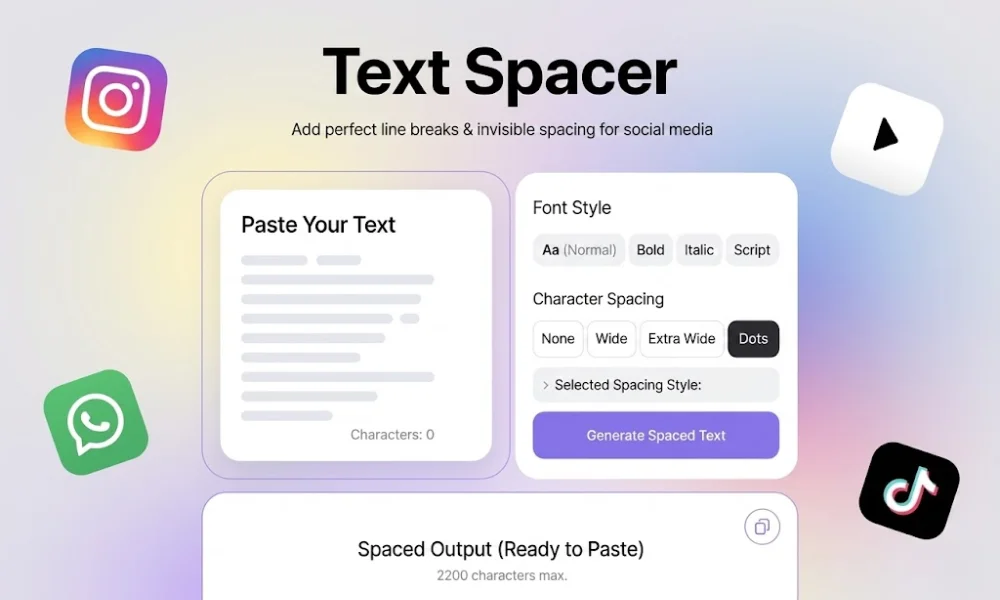
Spaced Output (Ready to Paste)
You can’t always add proper spacing or line breaks on Instagram. Even if you press “Enter”, your caption may appear as one block of text. That’s where TextSpacer helps.
This tool automatically adds invisible Unicode characters to your text so that line breaks and spaces stay intact when pasted into Instagram, Facebook, or other apps. Whether you are writing captions, bios, or comments, TextSpacer ensures your text looks clean, readable, and professional.
What is TextSpacer?
TextSpacer is a free online tool that helps users add invisible spacing and line breaks to their text. It is most commonly used for Instagram captions and bios where normal spacing does not work properly. The tool runs entirely in your browser — your text is never sent to a server, never stored, and never tracked.
Why Instagram Removes Line Breaks
Instagram often removes standard line breaks because of the way its formatting rules clean up white space. Empty lines between paragraphs are treated as trailing whitespace and stripped out before the post goes live. TextSpacer solves this problem by inserting an invisible Unicode character on each blank line, so the platform sees a real character there and keeps the spacing exactly where you want it.
How It Works
TextSpacer uses special Unicode space characters that are invisible but recognized by social media platforms. Instead of submitting an empty line — which Instagram, Facebook, and TikTok usually strip out — the tool inserts a Braille Pattern Blank (U+2800) on each blank line. The result is text that looks identical to what you typed, but with paragraph breaks that actually survive after posting.
How to Use TextSpacer
1 Paste Your Text
Type or paste your caption, bio, or comment into the input box above. Use blank lines wherever you want a paragraph break.
2 Pick a Font Style (Optional)
Choose Bold, Italic, Script, Double-struck, Monospace, Sans-serif, or Underline to convert your letters into stylish Unicode characters.
3 Click Generate Spaced Text
The tool processes your text instantly and inserts an invisible Unicode character on each blank line.
4 Copy the Output
Press the Copy to Clipboard button. The spaced text is now ready on your clipboard.
5 Paste in Instagram or Any App
Open Instagram, Facebook, TikTok, or WhatsApp and paste — the formatting will remain exactly as intended.
Key Features
Add Line Breaks for Instagram
Insert invisible Unicode spacing so your captions and bios keep paragraph breaks when posted.
Maintain Spacing in Bios & Comments
Stop Instagram and Facebook from collapsing your text into a single block.
Stylish Unicode Fonts
Bold, Italic, Script, Double-struck, Monospace, Sans-serif, and Underline — convert your spaced text in one click.
One-Click Copy
Copy the spaced version of your text to the clipboard with a single tap, ready to paste.
Works On All Devices
Fully responsive design — works on phones, tablets, and desktops without any installation.
No Login Required
Free to use forever with no signup, no account, and no tracking of your text.
Use Cases
TextSpacer is perfect for:
Instagram Captions
Format long captions with clean paragraphs that keep their line breaks after posting.
Instagram Bio Spacing
Stack bio lines neatly instead of seeing them collapse into one cramped row.
TikTok Captions
Make TikTok descriptions easier to read by adding visible structure and breathing room.
Facebook Posts
Improve engagement with well-spaced posts that readers can quickly scan.
WhatsApp Messages
Send neatly formatted messages, statuses, or broadcasts with proper line breaks.
Stylish Text Formatting
Combine spacing with Unicode fonts for unique, eye-catching content. Mirror styled lines using the Mirror Text tool to create reflective effects.
Why Use TextSpacer?
Clean formatting improves readability and engagement. Instead of messy text blocks, you get:
✓ Clear paragraphs
✓ Better structure
✓ More professional look
This helps increase user interaction and makes your content stand out — especially on platforms where presentation directly impacts how many people read your full caption.
Final Thoughts
TextSpacer is the easiest way to fix Instagram’s line break problem and make your captions, bios, and comments look polished. With one click you get clean paragraphs that survive after posting, in any of seven stylish Unicode font variants, on any device, with no signup required. For even more creative control, you can also use tools like Reverse Text to experiment with unique caption styles that stand out on Instagram.